
The Challenge
Connecting Membantu's cradle motor to a phone app presents exciting possibilities but also some unique design challenges:
User Interface and Interaction:
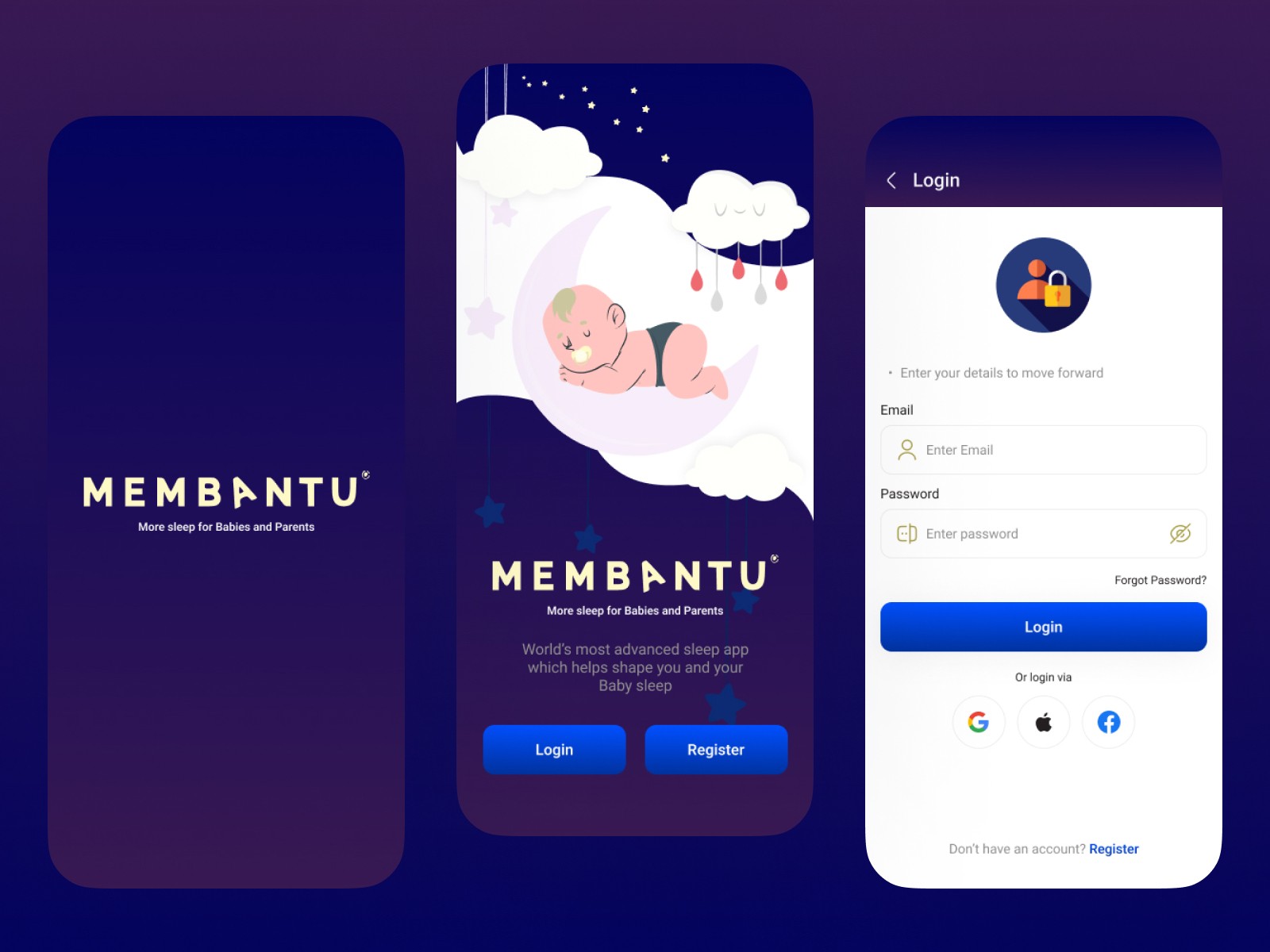
Target audience: The app needs to cater to both modern parents and those less familiar with smartphones.
Intuitive control: Designing an interface that allows for precise and effortless control of the cradle motor's motion and settings is key.
Safety and accessibility: Ensuring the app is secure and accessible for users with different abilities.
Functionality and Features:
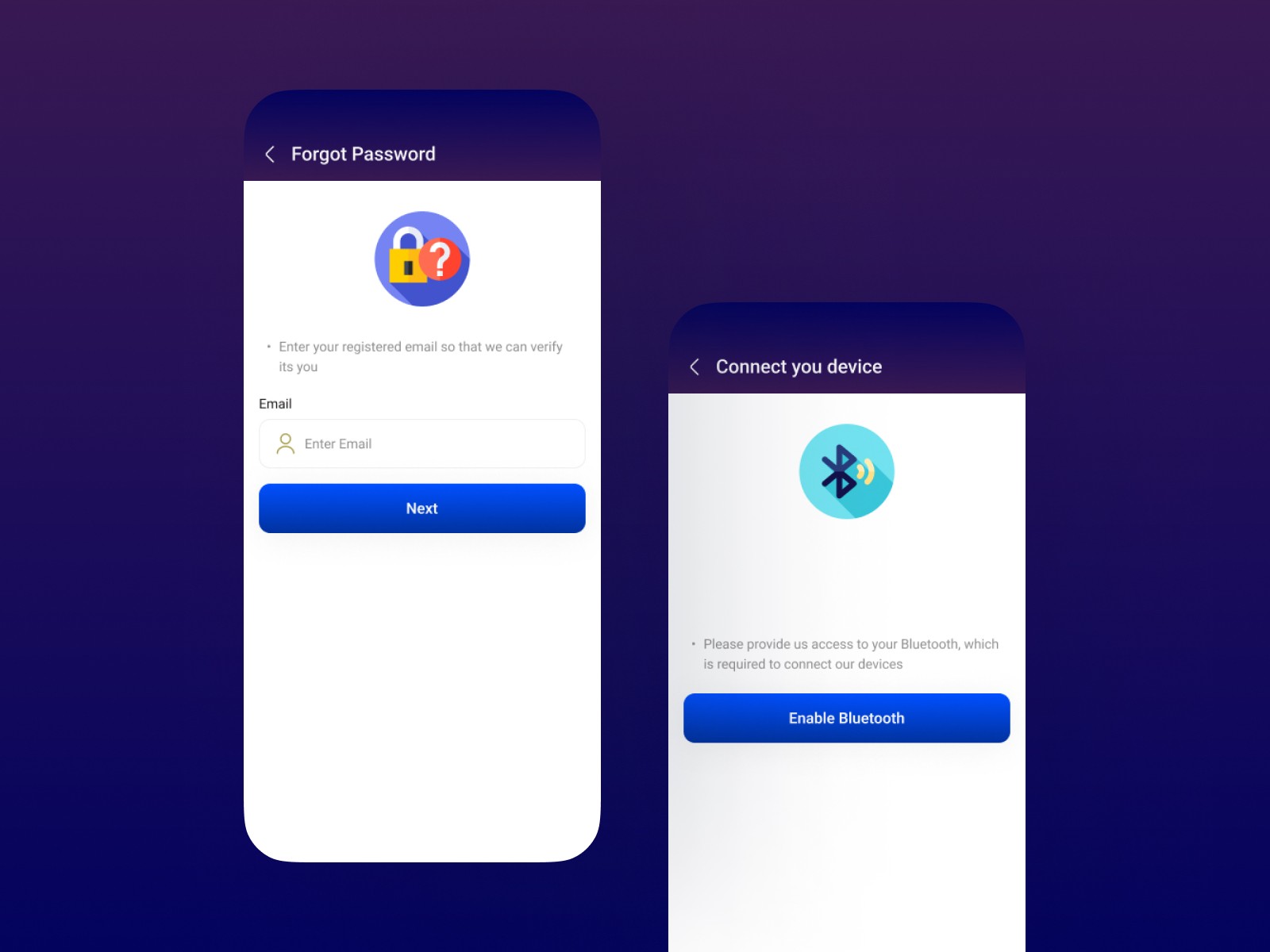
Connecting and pairing: Streamlining the process of connecting the motor to the phone via Bluetooth or other means needs to be user-friendly.
Customization options: Offering control over motor speed, swing patterns, and timer settings while avoiding too many options for users is important.
Data and insights: Providing parents with valuable data on their baby's sleep patterns and cradle usage with concerns of their privacy.
Process
Research and Define
User - flow
Lo-fi Wireframes
Design and Prototype
Solution
User interface and interaction:
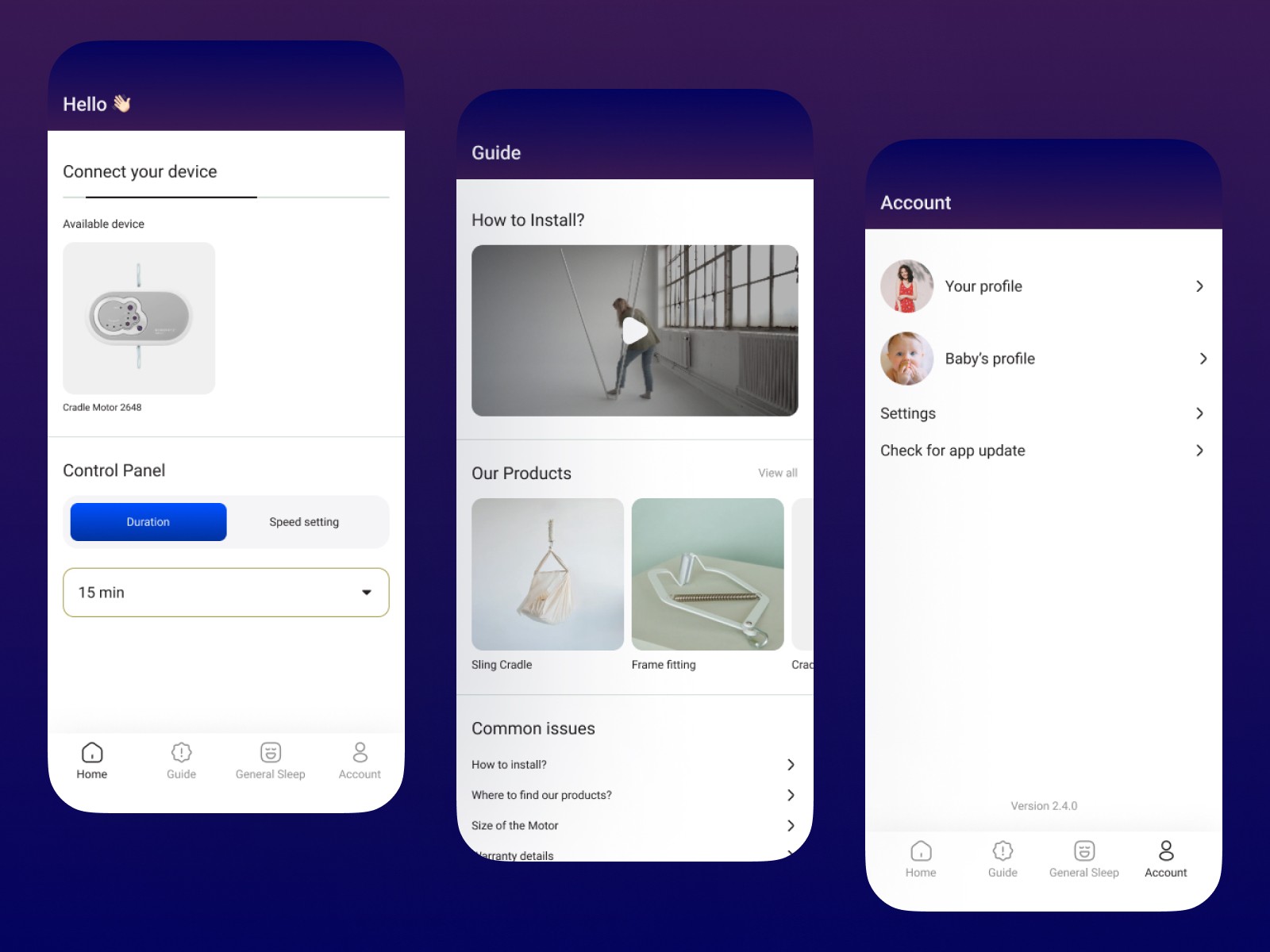
Simple and intuitive layout: Prioritize large, clear buttons and icons for essential functions like motor activation, speed control, and swing patterns.
Interactive tutorials and onboarding: Guide new users through the pairing process and basic functionalities with step-by-step instructions.
Real-time visual feedback: Display the cradle's current state (swinging, paused, etc.) and speed or progress bars on the app screen.
Functionality and Features:
One-tap connection: Utilize NFC or QR code scanning for effortless pairing between the motor and phone.
Preset swing patterns: Offer pre-programmed swing modes like lullaby, calming, and playful, with easy customization options for speed and duration.
Key takeaways
I only worked on the designing part, but I learned so much about the UX for an app that connects to external devices.